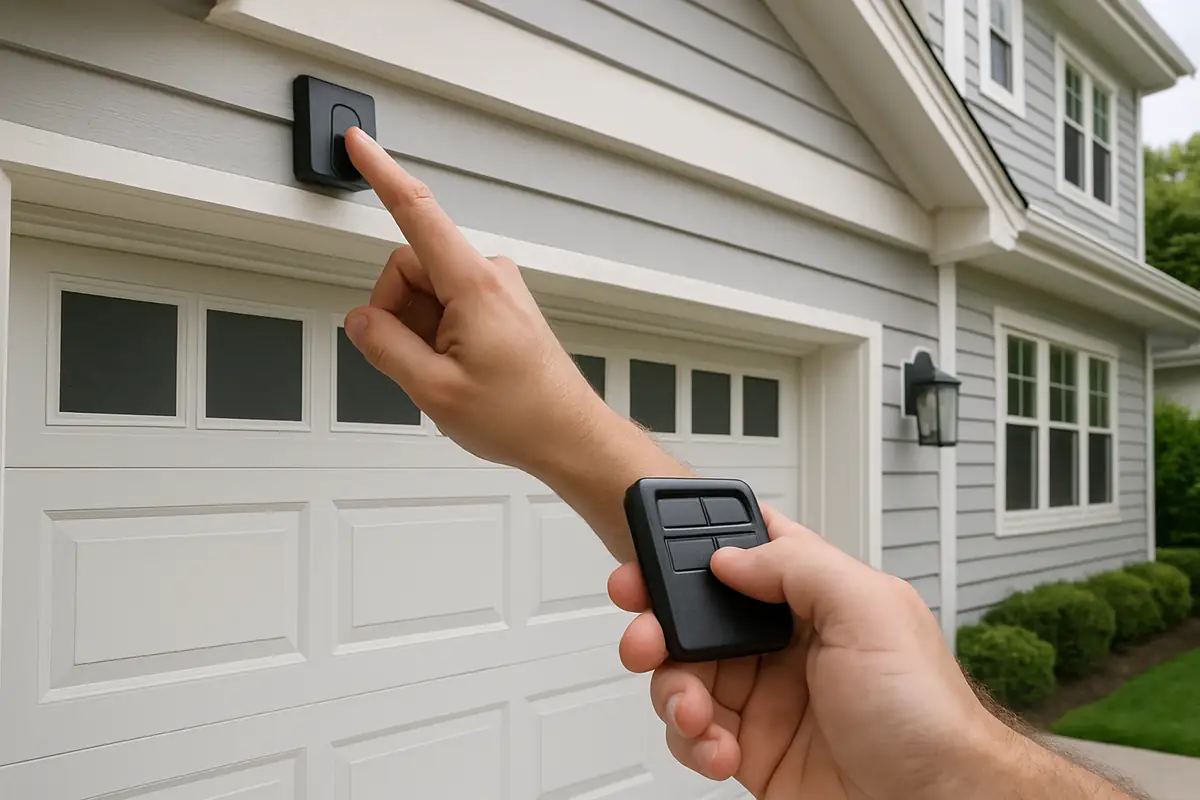
How to Program Your Garage Door Remote: A Comprehensive Guide
Have you ever found yourself standing in the driveway, fumbling with your garage door remote only to find it doesn’t work? If you live in Mount Vernon, WA, you’re not alone! Many homeowners experience issues with their garage door remotes, especially when it comes to programming them. Whether you’ve just purchased a new remote or need to reprogram an old one due to lost signals or changing batteries, we’ve got you covered. In this guide, we’ll explore everything you need to know about programming your garage door remote, ensuring it operates smoothly and securely.
Understanding Your Garage Door System
Before diving into the programming process, it’s essential to understand how your garage door system operates. Most garage doors are equipped with an automatic opener that facilitates convenient access. Here are a few key components:
- Remote Control: This is the handheld device that sends a signal to the garage door opener, instructing it to open or close.
- Garage Door Opener: This motorized device is installed in your garage and is responsible for moving the door.
- Safety Sensors: Installed on either side of the door, these sensors prevent the door from closing on objects or people.
- Keypad Entry: Many systems offer a keypad option for entering a code to open the garage door.
Step-by-Step Guide to Programming Your Garage Door Remote
Now that you have a better understanding of your garage door system, let’s get into the nitty-gritty of programming your remote. Follow these steps for a seamless experience:
Step 1: Gather Your Supplies
Before starting, make sure you have everything you need:
- Your garage door remote
- The garage door opener (usually located in your garage)
- Step stool (if necessary to reach the opener)
- Owner’s manual (if available for specific instructions)
Step 2: Locate the Learn Button
The learn button is crucial for the programming process. Here’s how to find it:
- Look on the back or side of the garage door opener motor.
- The button is often labeled “Learn,” “Program,” or has an icon that resembles a small square or circle.
Step 3: Clear Old Codes (if necessary)
If you’re adding a new remote or experiencing issues with your existing one, you might want to clear old codes:
- Press and hold the learn button until the LED indicator turns off (usually about 6 seconds).
- This action will erase all previously programmed remotes, so be prepared to reprogram others if necessary.
Step 4: Programming Your Remote
Now for the exciting part: programming your remote!
- Press the learn button on the garage door opener. The LED light will turn on.
- Within 30 seconds, press and hold the button on your remote that you wish to program.
- Once the garage door opener's light flashes or you hear a click, your remote has been successfully programmed!
Step 5: Testing the Remote
After programming, it’s crucial to test the remote:
- Stand a safe distance from the garage door.
- Press the button you programmed and watch for the door to respond.
- If it doesn’t work, repeat the programming steps.
Troubleshooting Common Issues
Even with the best intentions, programming your garage door remote can sometimes lead to issues. Here are some common problems and their solutions:
Remote Not Responding
- Check the Batteries: Weak or dead batteries are often the cause. Replace them and try again.
- Ensure Proper Distance: Stand within range of the garage opener when programming.
- Recheck the Learn Button: Make sure you’re pressing the learn button correctly and within the time limit.
Door Opens, Then Closes Immediately
This can happen when the safety sensors are misaligned. Ensure they are facing each other and free from obstructions.
Statistics to Consider
Did you know that according to the International Door Association, over 70% of homeowners rely on a garage door opener for convenience and security? With proper maintenance and programming, you can ensure your garage door system remains reliable.
Practical Tips for Garage Door Maintenance
Programming your remote is just one part of ensuring your garage door functions well. Here are some tips to keep your system in top shape:
- Regularly inspect the garage door for signs of wear and tear.
- Keep the tracks clean and free of debris.
- Lubricate moving parts at least twice a year.
- Test safety features monthly to ensure they operate correctly.
- Schedule professional inspections annually to catch any potential problems early.
Conclusion & Call to Action
Programming your garage door remote doesn’t have to be a headache. By following these simple steps, you can enjoy seamless access to your garage while ensuring your home remains secure. If you encounter persistent issues, or if you simply prefer professional assistance, don’t hesitate to reach out to County Garage Door Repair. Serving the Mount Vernon, WA area, we’re here to help with all your garage door needs—contact us today for expert service!
Explore More Resources
Related Articles
Service Areas
We proudly serve Mount Vernon, Baker Heights, Big Lake, Clear Lake, Burlington and more areas.
Our Services
Professional garage door repair, spring repair, opener installation and more. View all services →
Garage Door Installation: What to Expect from County Garage Door Repair in Mount Vernon, WA

Garage Door Automation and Smart Home Integration in Mount Vernon, WA: Enhance Your Home Security